
Guide · Formats
Instagram carousel size: every format at a glance
The wrong format wastes space in the feed or cuts off important parts. Here are the usual dimensions for Instagram carousels and for the same content on TikTok and LinkedIn, plus a few rules so nothing important gets cropped.
The recommended size: 1080 × 1350 pixels (4:5)
For an Instagram carousel, the 4:5 portrait format at 1080 × 1350 pixels is the usual choice. It takes up more height in the feed than a square and is more likely to stop the scroll.
Important: all slides in a carousel share the same aspect ratio. Instagram goes by the first slide. So decide on a format up front and stick with it.
All formats at a glance
- Instagram portrait 4:5: 1080 × 1350 pixels, the best choice for carousels
- Instagram 3:4: 1080 × 1440 pixels, exactly the shape of the profile grid
- Instagram square 1:1: 1080 × 1080 pixels, classic, but smaller in the feed
- Instagram landscape 1.91:1: 1080 × 566 pixels, rarely useful for carousels
- Instagram Stories and Reels 9:16: 1080 × 1920 pixels
- TikTok photo carousel 9:16: 1080 × 1920 pixels
- LinkedIn document (PDF carousel): square 1080 × 1080 pixels or portrait
A finished carousel, slide by slide
 Slide 1
 Slide 2
 Slide 3
 Slide 4
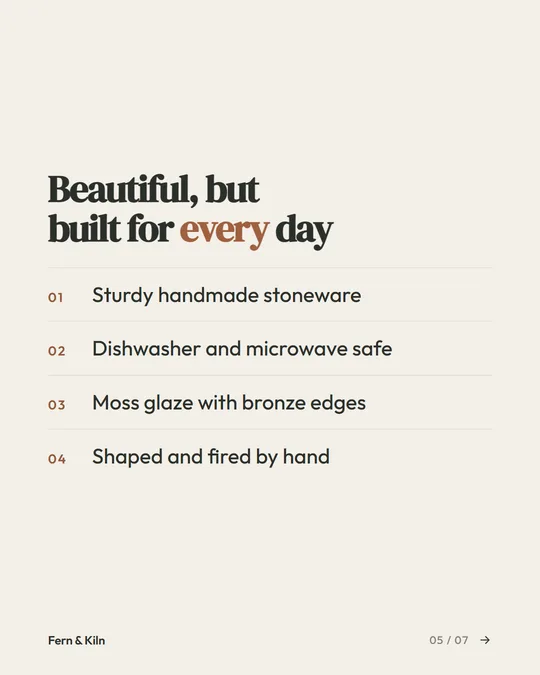 Slide 5
 Slide 6
 Slide 7
Mind the edges and the profile grid
In the profile grid, Instagram shows your posts as a narrower portrait. A 4:5 image loses a few pixels on the left and right there. Logos, prices or key words shouldn't sit right at the edge. Our free image resizer shows which part stays visible in the grid while you crop.
Leave some room at the bottom too: that's where the dots showing the current slide appear on phones. Text that's centered and has some space around it is readable everywhere.
File type and sharpness
- Save slides as PNG or JPG. PNG works especially well for text-heavy slides, because type stays crisp.
- Export at the full width of 1080 pixels. Instagram scales smaller images up, and they look blurry.
- Use the same size for every slide, or Instagram will crop some of them.
With Marqain, there's nothing to calculate
Marqain creates every carousel in the right size: 1080 × 1350 for Instagram, 1080 × 1920 for TikTok and 1080 × 1080 for LinkedIn, there also as a PDF. You pick the format in the editor, and the copy adapts to the new space automatically.
Frequently asked questions
What size is an Instagram carousel?
The recommended size is 1080 × 1350 pixels in 4:5 portrait. Square at 1080 × 1080 pixels works too, but takes up less space in the feed.
Can carousel slides have different sizes?
No. Instagram uses the aspect ratio of the first slide for all of them and crops the others.
How many slides can a carousel have?
Up to 20. For a product, 6 to 8 slides are usually enough.
What size do I need for LinkedIn?
Carousels on LinkedIn are PDF documents that people page through. Square pages at 1080 × 1080 pixels work well. Marqain exports this format straight to PDF.
Try it with your product.
Paste a product link and see three ready-made carousels in a few minutes.