
Guide · TikTok
TikTok for online stores: photo carousels instead of video
Plenty of small shops hold back on TikTok because they don't want to shoot videos. You don't have to: in photo mode you post several images as a carousel that people swipe through sideways, with a sound in the background. You already have the product photos. Here's how to make and post a photo carousel, and which ideas work well for shops.
Why TikTok is worth a look for small shops
TikTok doesn't only show posts to your followers, but also to people interested in similar topics. Even a new account can reach people who have never heard of your shop. That's no guarantee of reach, but it's a chance that doesn't need an ad budget.
For shops, that means regular posts on a clear theme, useful or entertaining, do more than the occasional sales post.
What is a TikTok photo carousel?
A photo carousel is a TikTok post made of several images instead of a video. In the feed it shows full height like a video, and viewers swipe sideways from image to image. It comes with a sound, a caption and hashtags. You need no camera and no video editing, just good photos and clear text on the slides.
In principle it's the same idea as an Instagram carousel: a sequence of slides that tell one story together. What changes is the format and the tone.
A finished carousel, slide by slide
 Slide 1
 Slide 2
 Slide 3
 Slide 4
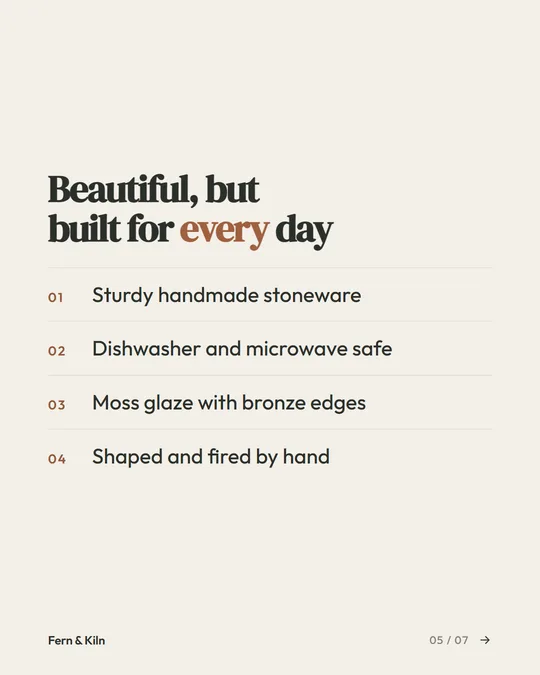 Slide 5
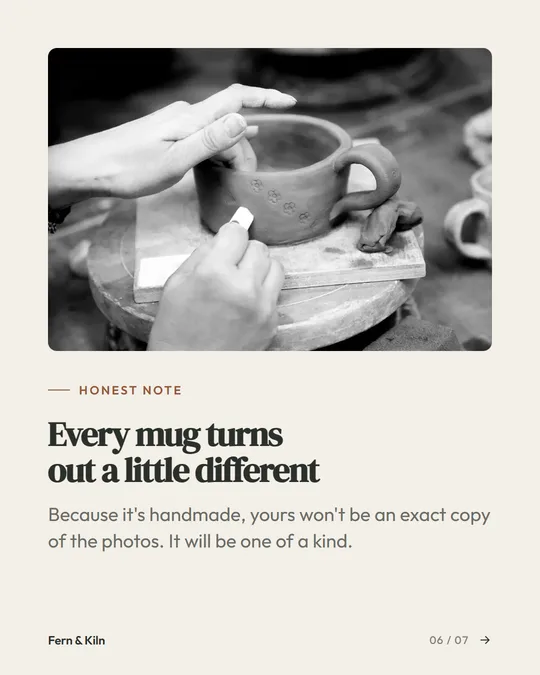 Slide 6
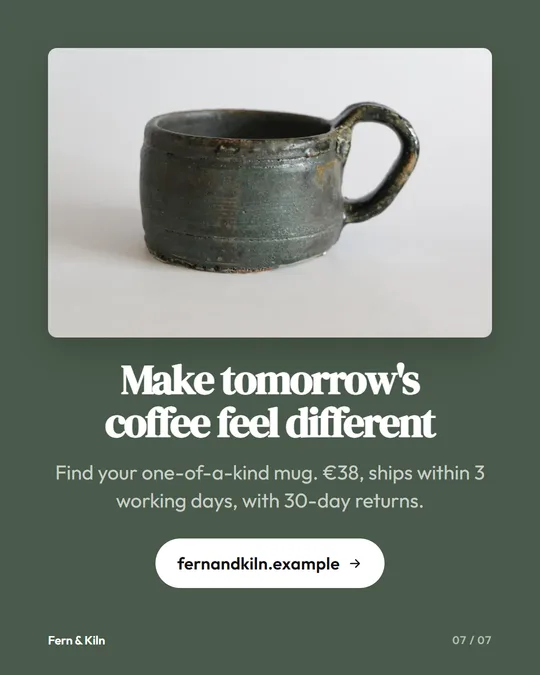 Slide 7
Format and size
- Vertical 9:16 at 1080 × 1920 pixels fills the screen. TikTok shows other ratios with borders.
- Up to 35 images per post. For one product, 5 to 8 are usually enough.
- JPG or PNG, all images in the same format.
- The caption sits at the bottom and the buttons on the right. Keep important text in the middle, away from the edges.
Our free image resizer crops photos to 9:16 and shows roughly which areas TikTok covers. Sizes for other platforms are in the carousel size guide.
How to post a photo carousel
- Tap the plus in the TikTok app to create a post.
- Pick photos instead of a video from your gallery, in the order they should appear.
- Add a sound. For your store, use music that is cleared for commercial use.
- Write the caption with a few relevant hashtags and post.
TikTok renames buttons now and then. The principle stays the same: pick photos, add sound and text, post.
What's different on TikTok
- The first slide decides. A question, a surprising fact or a promise you can keep makes people swipe on.
- Short, casual lines. What works on TikTok sounds like a person, not an ad.
- Large type: many slides get a one-second glance.
- One idea per post. Three tips on one topic beat everything about the product at once.
- A clear next step at the end, such as pointing to the link in your profile.
Ideas that work well on TikTok
- Three things you can't tell about your product at first glance
- How to use it: a tutorial in a few slides
- Myths and facts from your industry
- Before and after, if your product visibly changes something
- Behind the scenes: how a product is made or packed
- A problem many people know, and how your product helps
- A gift idea for a specific occasion
There are more in the post ideas for online stores. Most work on TikTok too, told shorter and more casually.
Profile and rhythm
- A business account with your shop's name, a short bio and your logo as the profile picture.
- A link to your shop in your profile, if your account has the option.
- A steady rhythm you can keep up, for example two posts a week.
- A few relevant hashtags instead of a long list. More in the guide to captions and hashtags.
Honest advertising, on TikTok too
Ads on TikTok follow the same rules as anywhere else: whatever you say about your product, you need to be able to back up. Health claims, unproven green claims and made-up numbers are risky even in a casual post.
The free ad claim checker flags claims like these before you post.
From product link to TikTok carousel
Marqain turns your product link into three campaign concepts with different angles, each with slides, a caption and hashtags, in your brand's colors and fonts. The copy relies only on facts from your product page. In the editor you switch the format to TikTok (9:16) with one click, and the text adapts to the new space.
While the campaign is being created, Marqain asks where you want to post. Pick TikTok, and Marqain writes shorter, more casual slide copy. You add the sound afterwards, when you post in the TikTok app. The posting plan puts the concepts in your calendar, one every three days.
Frequently asked questions
Do I need videos for TikTok?
No. Photo carousels let you post several images as one post. Many shops start this way because the product photos already exist.
How many photos fit in a TikTok carousel?
Up to 35. For one product, 5 to 8 images are usually enough: a hook, the substance and a close.
What size should TikTok photos be?
1080 × 1920 pixels, vertical 9:16. Then the image fills the screen without borders.
Can I post an Instagram carousel on TikTok?
Yes, but TikTok shows 4:5 slides with borders. Better to use the same campaign in 9:16. In Marqain you switch the format in the editor without redesigning anything.
How often should a shop post on TikTok?
As often as you can keep up. A steady rhythm, say two posts a week, does more than a burst of posts followed by a long silence.
Does Marqain add music?
No. Marqain gives you the slides as PNG, plus the caption and hashtags. You choose the sound when you post in the TikTok app.
How much does Marqain cost?
Your first campaign is free, and you see it finished before you pay. To download, you need a plan: €11.99 a month or €99 a year, including 15 campaigns per month.
Try it with your product.
Paste a product link and see three ready-made carousels in a few minutes.